B-hyve
- 4.6
- Rating
- 1.00M
- Installs
- Free
- Price

 Analysis by App-foxy
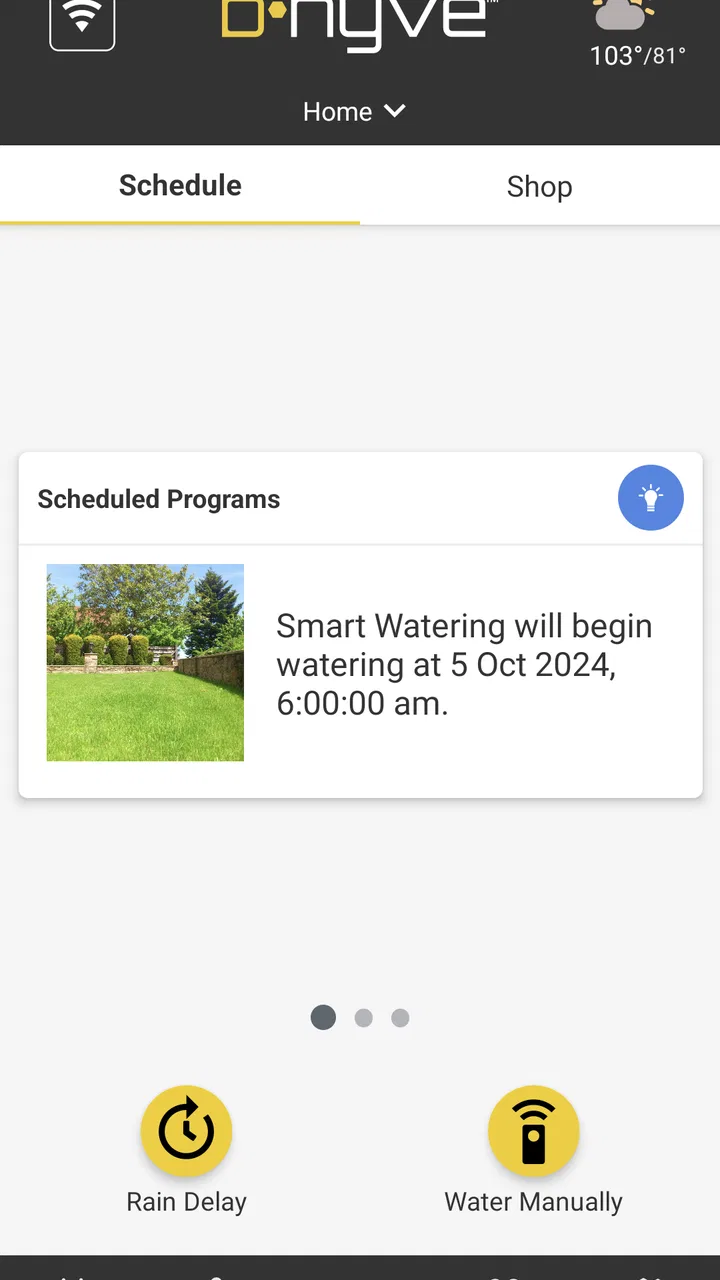
I found B-hyve most useful when I stopped thinking of it as a simple remote control and treated it as the phone-based front end for a smart sprinkler setup. Developed by B-hyve for the House & Home category, the free app is designed to help manage watering without walking out to the controller every time. That sounds modest, but it matters when the controller is outside, the weather changes quickly, or several watering areas need different attention.
My overall impression is positive, with one important qualification: the app makes the most sense when you already use compatible B-hyve equipment. It is not a general gardening planner that can operate any irrigation system. Its value comes from connecting the app, the controller, and the installed sprinkler hardware into one workflow. If that matches your home, it can remove a surprising amount of routine work. If you only want a basic timer with a physical dial, the added setup and account-based experience may feel unnecessary.
What using B-hyve feels like in a real home
The everyday appeal is easy to understand. Instead of adjusting a controller beside the garage or checking a small display in a utility area, I can use the phone as the place where watering decisions are made. The store summary calls it smart sprinkler control, and that is the right starting point: this is a control app first, not a social gardening application or a general home dashboard.
You May Also Like

 Blood Strike: 2.5 Anniversary
Blood Strike’s Loadouts Turn Every Drop Into a Tactical Gamble
A close look at Blood Strike’s custom loadouts: how fast access to signature weapons reshapes its battle royale rhythm, rewards preparation, and narrows the gap between fights.

 Pandora - Music & Podcasts
Pandora’s Music Is Easy to Start, but Harder to Recover
Pandora’s strength is its low-effort path from a seed to a station. Its weak spot is how much confidence it asks you to place in connection, setup, and quiet recovery.

 8 Ball Pool
 Is Built on Rivalries, Rematches, and Routine
A close look at the rivalries, rematches, shared routines, and unanswered safety questions that turn a quick pool match into a persistent mobile community.

 Samsung Music
’s Quiet Strength Is Playing What You Already Own
Its reach comes less from spectacle than from dependable access to a personal library. That simplicity is both the app’s strongest retention engine and its ceiling.

 AccuWeather: Weather Radar
AccuWeather Review: A Quick, Clear Forecast for Everyday Decisions
For everyday plans, the best forecast is the one you can understand quickly. AccuWeather makes rain timing, radar, and local conditions easy to act on, with a few trade-offs.

 Hill Climb Racing
Why Hill Climb Racing Still Turns Crashes Into One More Run
A tiny car, a bumpy hill and one more upgrade: Hill Climb Racing keeps resurfacing because its simple chaos makes every near-miss feel personal.
More From Our News Desk
View All News


A realistic example is a week in which I have watered the lawn but want to avoid treating every planting area the same way. A lawn zone may need a different schedule from a narrow flower bed, while a newly planted section may need closer attention. The useful workflow is to review the zones, check the current plan, and make a targeted adjustment rather than changing the whole system. That distinction is where a connected controller earns its place over a single mechanical timer.
I also like the possibility of making a temporary decision without rebuilding the long-term routine. If I notice that rain has already soaked one part of the garden, I would rather pause or alter the relevant watering action than erase the schedule I carefully set for the next dry spell. That kind of separation between an immediate change and the normal plan is one of the most important habits to develop with a smart irrigation app.
The experience is not completely frictionless. The app cannot compensate for poor sprinkler placement, clogged heads, low water pressure, or a controller that has lost its connection. When a zone is not watering correctly, the phone may help me manage the instruction, but it cannot physically repair the irrigation. I still need to inspect the garden. That is an obvious point, yet it prevents a common mistake: assuming a successful command means the plants actually received the intended amount of water.
Who will get the most from it
B-hyve suits homeowners who want irrigation control away from the controller itself and who are comfortable checking settings on a phone. It is particularly appealing for someone who travels, manages several watering areas, or wants to make seasonal adjustments without repeatedly opening an outdoor enclosure. People who share responsibility for a property may also appreciate having the control experience in a familiar device rather than relying on a small dedicated panel.
It is less convincing for a renter who cannot install or replace irrigation hardware, or for someone whose garden is small enough that a manual hose and a simple timer already solve the problem. I would also hesitate to recommend it to anyone who dislikes creating accounts, connecting household devices, or troubleshooting a networked product. A traditional timer is less capable, but its limited nature can be an advantage: fewer settings mean fewer places for confusion.
The app is marked for Everyone, which makes its presentation broadly approachable, but that does not mean every household will find the setup equally easy. The challenge is not mature content or complicated gardening language. It is understanding the relationship between the app, the controller, the zones, and the schedule. A first-time user should expect to spend time checking that each named zone corresponds to the real area it waters.
Setup is where patience pays off
I would approach installation methodically rather than trying to configure everything in one rushed session. First, I would identify the physical zones and give them names that make sense in daily use. “Side bed” or “back lawn” is more useful than a label that only makes sense while standing beside the controller. Clear names reduce the chance of changing the wrong area later.
Next, I would confirm the watering order and observe at least one complete run. This is a practical trust check. It tells me whether the zone mapping is correct, whether the sprinkler heads cover the intended space, and whether the schedule behaves as expected. I would not rely solely on the app’s status screen when the cost of a mistake could be a dry planting bed or unnecessary water use.
A useful advanced habit is to make one change at a time. Changing zone names, durations, start times, and seasonal settings all at once makes it difficult to identify the source of a problem. By adjusting a single element and then observing the result, I can build confidence in the system instead of treating it as a black box.
The current version is 3.0.52, and the app supports Android 7.0 or later. That broad compatibility is helpful for people using an older phone, although compatibility with the phone alone is not the same as compatibility with every controller or installation. I would check the equipment requirements before planning a purchase around the app.
Controls that deserve a careful look
The strongest part of the experience is the ability to manage watering from a central interface rather than repeatedly using the physical controller. That convenience becomes more valuable as the number of zones grows. It also encourages better maintenance because I can review the arrangement and schedules without needing to be beside the hardware.
Still, convenience should not turn into blind trust. Before accepting an automatic routine, I would inspect which zones it affects, when they run, and whether the timing makes sense for the property. A schedule that looks reasonable in a list may be wrong for a shaded bed, a slope, or an area that receives runoff from elsewhere. The app can organize the decision; I remain responsible for making the decision.
My preferred workflow is to keep a stable baseline schedule and use small, deliberate adjustments for unusual conditions. For example, after a period of heavy rain, I would avoid making a permanent change unless the weather pattern had genuinely shifted. After a hot stretch, I might review the plan and observe the soil before increasing watering. This prevents temporary conditions from gradually turning into an inefficient routine.
Another non-obvious trade-off is that remote control can make over-management tempting. Because the app is always close at hand, I may be inclined to change settings every time the lawn looks slightly different. That can create inconsistency. The better approach is to use the app for planned review, then let the system run long enough to judge the result.
Trust starts with visible choices
For a connected home app, I pay attention not only to what it controls but also to how clearly it lets me control my own account and device relationship. B-hyve is a service-linked controller experience, so I would review the account prompts during setup instead of tapping through them automatically. I want to know which choices are optional, which are necessary for operation, and where account settings can later be changed.
I would also keep the phone and household account under the control of the people who actually manage the property. If a device is shared, deciding who can change schedules is not a minor administrative detail. A mistaken watering adjustment can waste water, while an accidental pause can affect plants for days before anyone notices. Clear ownership and a simple handover process matter when a home changes hands or a family member takes over maintenance.
Data-sensitive moments usually occur during connection, account management, and remote operation rather than while looking at a schedule. I would read the app’s current privacy and permission screens on my own device, especially before enabling access that is not obviously required for the task I am performing. I would not assume that a smart-home application needs every permission a phone can offer.
That cautious approach is not a criticism of B-hyve specifically; it is good practice for any connected home product. I prefer apps that make the reason for a permission understandable and let me revisit the choice later. If a prompt is unclear, I would postpone it and see whether the core controller workflow still works. The important point is to make an informed choice rather than granting access reflexively.
Where user agency matters most
The app is most satisfying when it gives me a clear way to decide what happens next. I want to know whether I am changing a lasting schedule or making a one-time intervention. I also want the names and order of zones to match the physical garden, because an interface that uses unfamiliar labels weakens confidence even when the underlying control is working correctly.
I recommend keeping a simple personal record of the system: which zone waters which area, what each area is intended to receive, and what changes were made during unusual weather. That record does not replace the app. It gives me a reference when something looks wrong and makes it easier to undo an experiment. This is especially useful after a seasonal change or when another person begins managing the property.
There is also a useful boundary between automation and observation. I would let the controller handle a predictable routine, but I would still inspect the garden regularly. Look for pooling, dry patches, blocked heads, and water reaching paving rather than soil. The app can make the schedule easier to adjust, yet the most reliable feedback still comes from the plants and the ground.
If the connection fails, I would avoid repeatedly issuing commands without checking the controller itself. Repeated taps can create uncertainty about which instruction was accepted. A calmer approach is to verify the device state, confirm the phone’s connection, and then make one controlled change. This is a small but important operational detail for anyone who expects remote control to be dependable.
How it compares with ordinary alternatives
Compared with a basic timer, B-hyve offers a more flexible way to review and adjust irrigation. The trade-off is that the app introduces software, an account relationship, and connected-device troubleshooting. A basic timer wins for simplicity and independence from a phone. B-hyve wins when remote access and more deliberate zone management are worth that extra layer.
Compared with manually watering using a hose, the app is better for repeatability and larger properties. Manual watering gives immediate visual feedback and no setup overhead, but it is easy to skip a day or apply water unevenly. B-hyve is more useful when consistency matters and the irrigation hardware is already installed.
Compared with a generic smart-home app, B-hyve is the more natural choice for people whose main concern is sprinkler control rather than combining every household device in one interface. A general home platform may be preferable if a user’s priority is a single dashboard for many brands, but I would expect a dedicated irrigation app to keep watering details closer to the center of the experience.
That comparison also explains who should skip it. If I were buying a controller for a very small garden and cared more about the fewest possible steps than remote management, I would choose the simpler route. If I had a larger or more varied landscape, the ability to organize zones and make careful adjustments would justify learning the app.
What the reputation tells me—and what it does not
B-hyve has an average rating of 4.7 from roughly 78 thousand ratings, with more than 12 thousand written reviews. It has passed half a million installs, so it is not an obscure experiment with no visible user base. Those figures make me more willing to investigate it, but they do not remove the need to test the controller, connection, and zone mapping in my own home.
The app is free, which lowers the barrier to trying the software itself. The larger practical question is the equipment and installation around it, because the app’s usefulness depends on having a compatible sprinkler arrangement to control. I would therefore judge the complete setup rather than treating the free download as the entire cost or commitment.
The developer is listed as B-hyve, and the app has been available since February 23, 2016. That history suggests an established product rather than a newly launched utility, while the current version shows that the software continues to be maintained. Even so, an established app can still have an interface or connection behavior that does not suit every household, so I would make the decision based on my own priorities.
My cautious verdict
I recommend B-hyve to homeowners who want practical control over compatible sprinkler hardware and are willing to spend time setting up zones carefully. Its best quality is not a flashy feature; it is the way a phone can make routine irrigation decisions easier to review and adjust. The strongest results come from pairing that convenience with physical checks in the garden.
I would not recommend it automatically to someone seeking the cheapest, simplest timer, nor to anyone uncomfortable with connected accounts and troubleshooting. The app cannot fix irrigation hardware, and remote control can create false confidence if the user never checks what is happening outdoors. Those limitations are manageable, but they should be part of the decision from the beginning.
For me, the right way to use B-hyve is cautiously: name zones clearly, test one change at a time, inspect permission and account choices, and keep a stable schedule instead of constantly reacting to small changes. Used that way, this free House & Home app becomes a sensible tool for reducing routine work while keeping the final say with the person caring for the garden.
My recommendation is conditional but clear: choose B-hyve when connected sprinkler control genuinely solves a problem in your property, and choose a simpler alternative when the extra software layer would be more work than the watering itself.
FAQs for B-hyve
01What is B-hyve and how does it work?
B-hyve is an innovative smart irrigation app that helps users manage their watering systems more efficiently. It connects to your sprinkler system and utilizes weather data to adjust watering schedules automatically. This ensures optimal water usage, saving both time and resources while maintaining a healthy lawn or garden.
02Is B-hyve compatible with all sprinkler systems?
B-hyve is compatible with most standard sprinkler systems, but it's always best to check the specific requirements on the app's website. The app connects seamlessly with systems that support Wi-Fi or Bluetooth, allowing for easy integration and control from your smartphone or tablet.
03Does B-hyve require a subscription for full functionality?
No, B-hyve does not require a subscription to access its full range of features. Once you purchase the hardware and download the app, you can enjoy all the functionalities without any additional fees. This includes weather-based scheduling, remote control, and more.
04How does B-hyve use weather data?
B-hyve utilizes real-time weather data to adjust your watering schedule. It automatically skips watering when it rains and increases watering during dry spells. This smart feature helps conserve water and ensures that your plants receive the right amount of hydration based on current weather conditions.
05What devices are compatible with the B-hyve app?
The B-hyve app is available for both Android and iOS devices. It requires a smartphone or tablet with internet access to download and operate. Ensure your device meets the app's system requirements for the best experience, allowing you to control your irrigation system remotely with ease.
Pros
- User-friendly interface enhances experience.
- Efficient water usage saves on bills.
- Customizable schedules for flexibility.
- Smart weather integration optimizes watering.
- Easy installation with clear instructions.
Cons
- Requires stable Wi-Fi connection.
- Limited offline functionalities.
- Occasional app crashes reported.
- Some features need subscription.
- Incompatibility with older devices.

B-hyve
Gallery